Valence 1.2.3: AI Providers, redesigned
The AI Providers page went from a wall of cards to a calm, precise control room.
What’s new
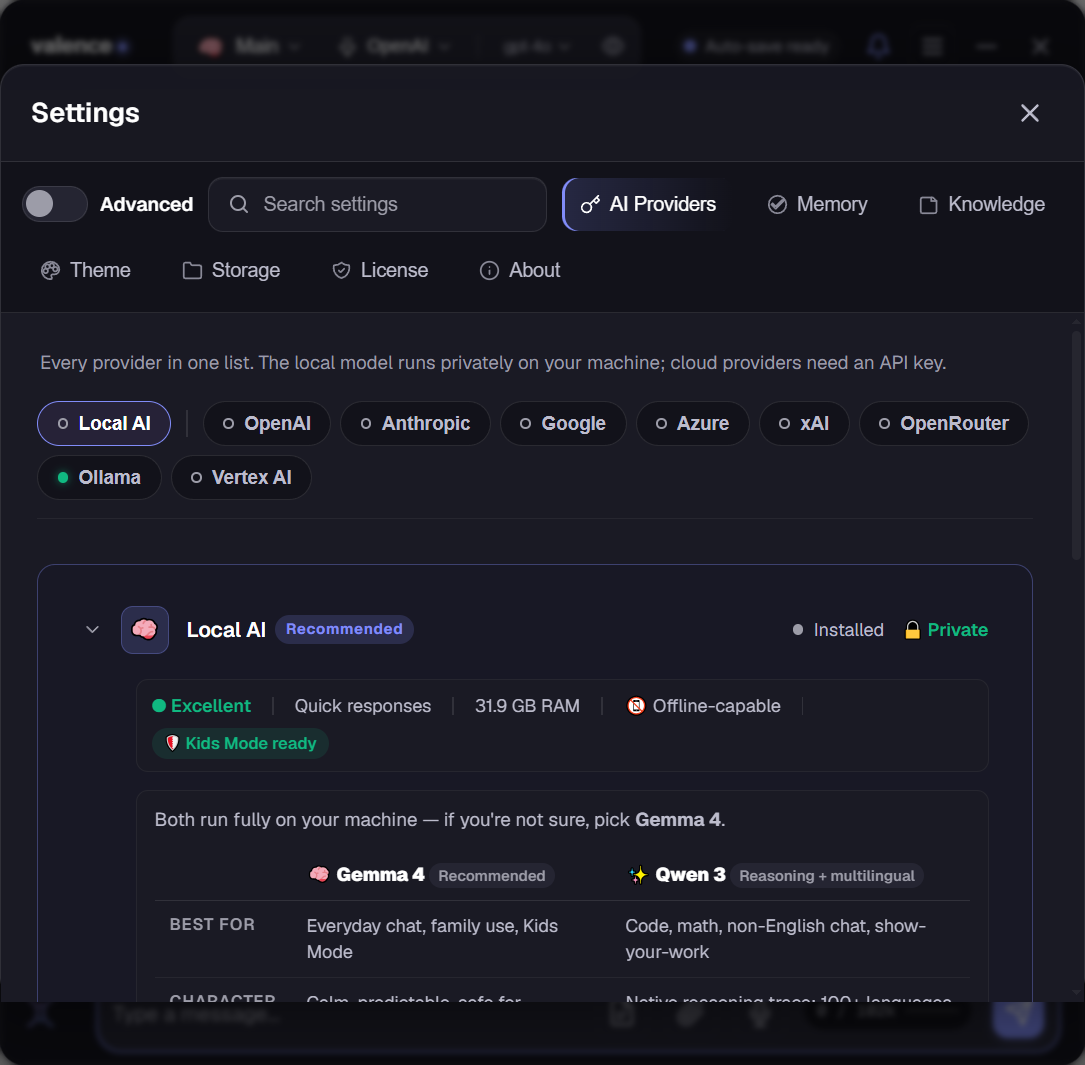
- Pick a provider, see its card. One chip per provider across the top, with a live status dot showing what’s ready, and exactly one provider’s settings open below. Local AI is front and center; any cloud provider is one click away. Drag the cloud chips to reorder them.
- The model library is a table now. Every local model on one line, name, size, and exactly how much RAM it needs, instead of paragraph-sized cards. Models your machine can’t comfortably run are dimmed with a clear warning. Hover any model name for its description.
- Gemma vs Qwen at a glance. The family guidance is a three-row comparison table, best for, character, trade-off, instead of prose you had to read twice.
- Cloud Sampling knows where you are. The advanced sampling panel now appears only for cloud providers and arrives pre-scoped to the provider you selected.
Fixes
- The last of the old diamond-era artwork is gone. The trinity-knot mark now appears everywhere, including the About page and trial screen.
Download
Valence 1.2.3 (.msi) · Windows 10/11 (64-bit) · 829.93 MB · 7-day free trial, then $59.95 once.
SHA-256:
5BF92B47F7C5269E239BE533DA04EEB6C62737146CC3F378FBBF7C66A6289FCBUnsigned installer, SmartScreen may warn: More info → Run anyway. Existing installs upgrade in place.