Valence 1.3.0: A lighter way in
Valence 1.3 changes how Valence arrives on your machine, and how it feels the first time you open it.
More on the thinking behind it: A lighter way in.
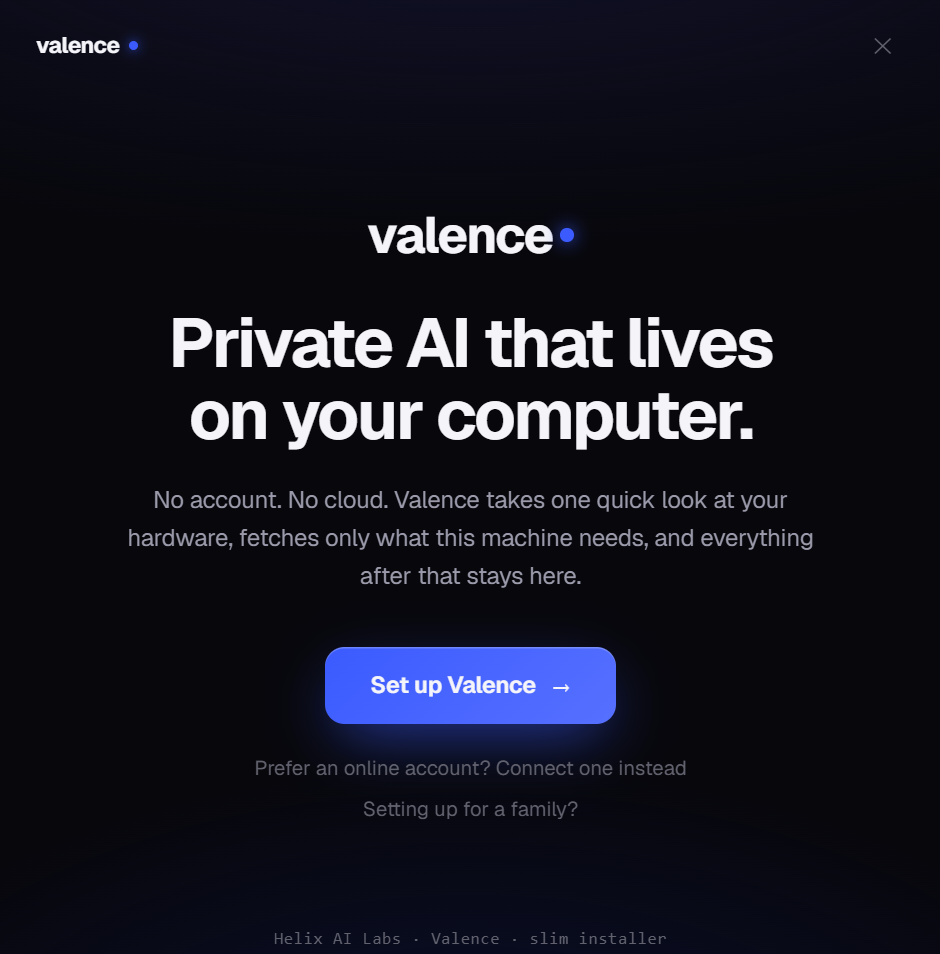
What’s new
- Pick your install. A new slim installer (302.62 MB) looks at your hardware and downloads only the graphics acceleration your card actually uses, NVIDIA gets CUDA, AMD and Intel get Vulkan. The classic all-in-one installer (808.47 MB) is still right beside it: every backend bundled, fully offline, nothing to fetch after setup. Same app, same privacy: just choose the download that fits how you work. Each install updates in its own lane, so a slim install is never handed the big one.
- A reimagined first run. Setup is now a calm, guided experience: Valence takes one quick look at your hardware (right on your computer: nothing is sent anywhere), shows you exactly what it found, fetches only what’s missing with honest per-item progress, and lands you ready to chat, with your graphics card already doing the work when you have one.
- Your AI, always in view. A small status badge next to the wordmark shows which AI you’re using and where it runs. Click it for the full picture, including how to switch.
Fixes
- Offline with a local model or Ollama selected? Messages now send. The “you are offline” block only applies to cloud providers.
- Updates are now integrity-checked: the installer’s fingerprint is verified before it ever runs.
- Older installs that moved to the new data folder now repair their settings automatically, conversations, profiles, and parental controls all follow to the right place.
- The first-run window now fits all of its content at every display scaling.
Download
Slim, right for most people (needs internet once, during setup):
Valence 1.3.0 slim (.msi) · Windows 10/11 (64-bit) · 302.62 MB · 7-day free trial, then $59.95 once.
SHA-256:
10FEDB53CD2A33BFAC0717EFB78CDECF8F73BEEF3A60D5A8E9ACA3A04E585349
All-in-one, for offline / locked-down machines:
Valence 1.3.0 (.msi) · Windows 10/11 (64-bit) · 808.47 MB
SHA-256:
B699847453D18A40D1A8C2342B6EFF287D36B23F4B81E84584166D214454513AUnsigned installer, SmartScreen may warn: More info → Run anyway. Existing installs upgrade in place (and keep their flavor).